
Troubleshooting SCIM Authentication Errors with Okta
If you're configuring SCIM provisioning between Okta and Sourcegraph and encounter an error like:
401 Unauthorized: Invalid Authorization header
this is most commonly caused by how the Authorization header is formatted in Okta.
Root Cause
Sourcegraph expects SCIM requests to include an Authorization header using the Bearer token format:
Authorization: Bearer <your-scim-token>
However, depending on how your Okta SCIM integration is configured, Okta may send only the raw token (without the Bearer prefix), which will result in authentication failures.
How to Fix
If you are using a custom connector, you must manually include the Bearer prefix in Okta:
Bearer <your-scim-token>
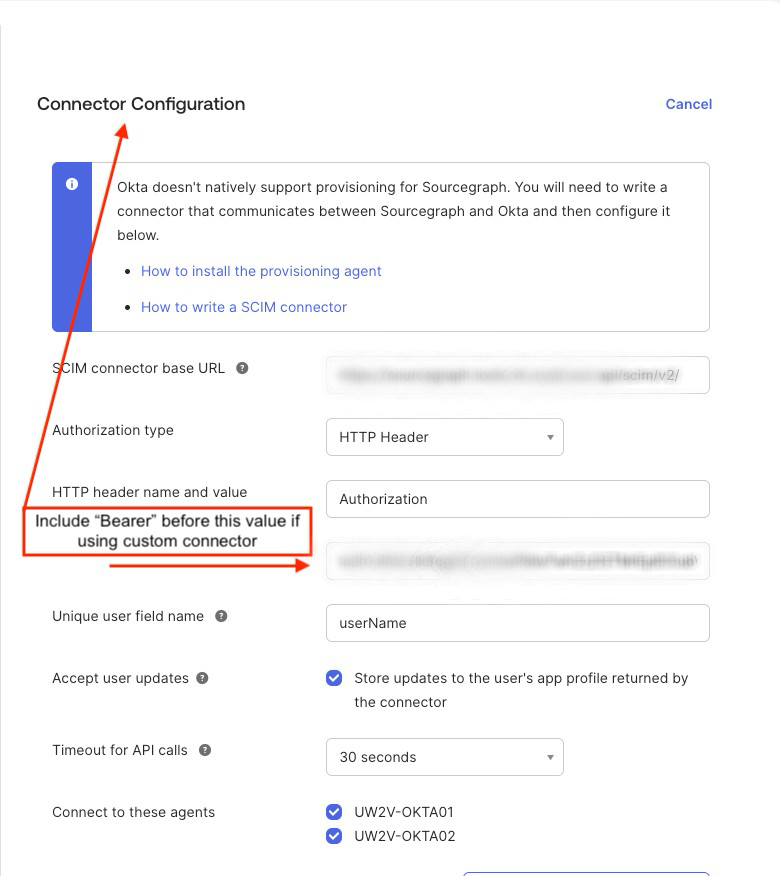
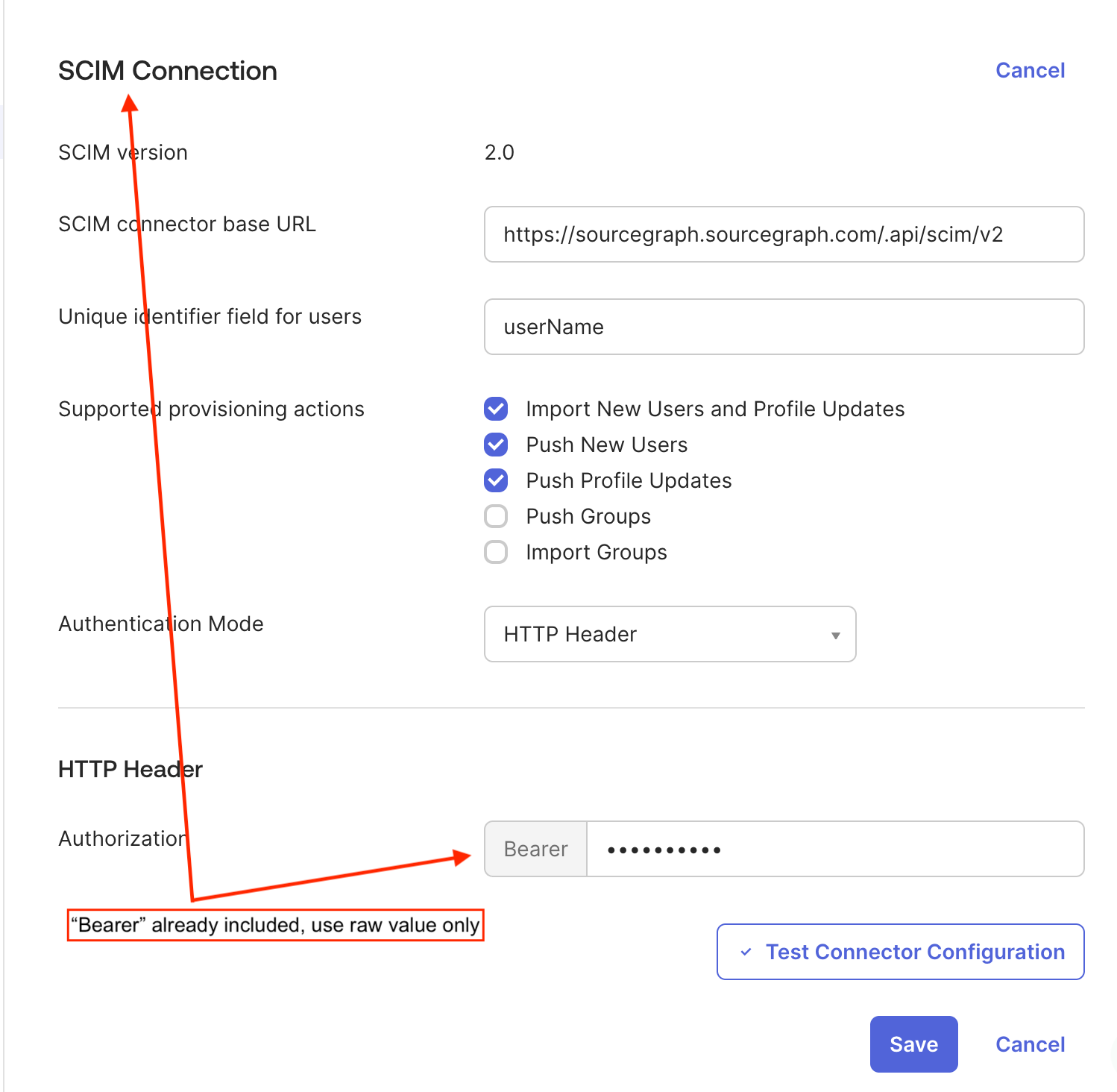
If you are using Okta’s built-in SCIM Connection, it will automatically prepend Bearer to the token for you.
In this case:
You should enter only the raw token in Okta
Okta will handle the
Bearerprefix automatically
Important
The behavior depends on how the SCIM integration is configured in Okta:
Setup Type | What to Enter in Okta |
|---|---|
Custom connector / manual header |
|
SCIM Connection |
|
Sourcegraph Configuration
In Sourcegraph, the SCIM token should always be configured as the raw token only:
"scim.authToken": "<your-token>"
Do not include Bearer in the Sourcegraph configuration.
Additional Tips
Ensure there is no extra whitespace before or after the token
If the token was exposed (e.g., in screenshots or logs), rotate it immediately
After updating the token, re-test the connection in Okta
Summary
If you see Invalid Authorization header, the issue is almost always due to a mismatch in how the Authorization header is formatted. Ensuring the correct use (or omission) of the Bearer prefix based on your Okta setup will resolve the issue.