
Troubleshooting insights that show zeros
Problem
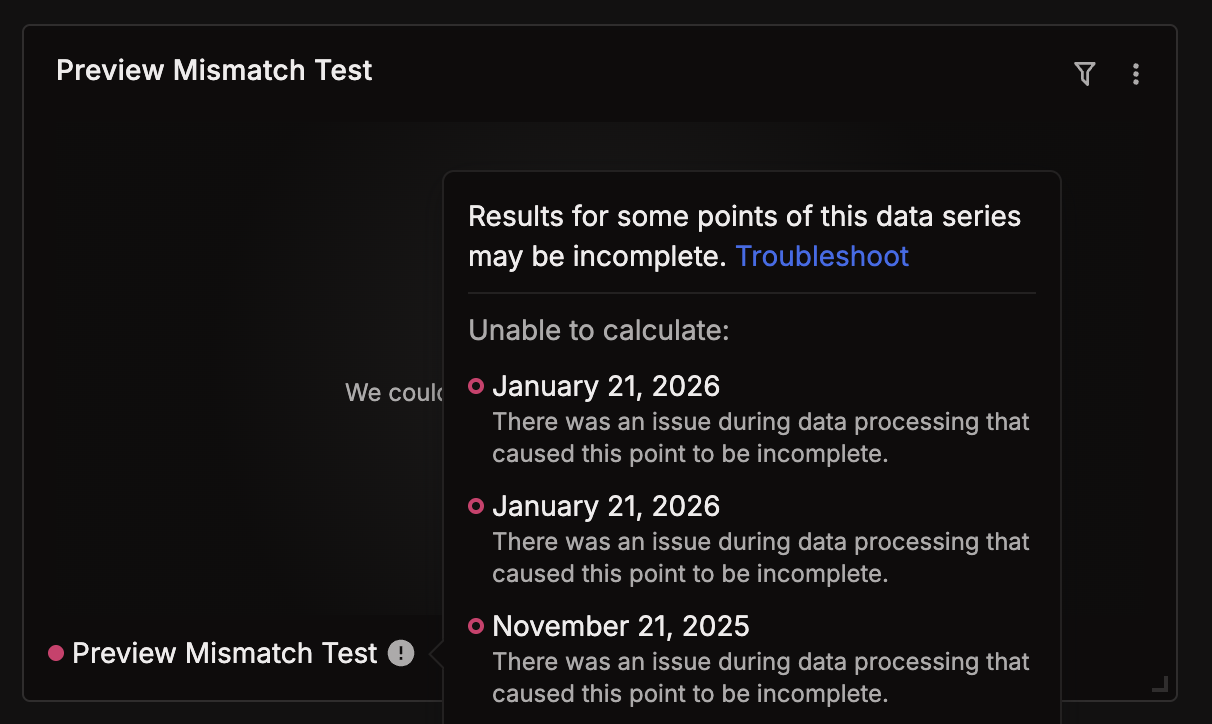
An insight returns only today's data or all zeroes, and a warning is displayed for the data series.
'There was an issue during data processing that caused this point to be incomplete.'
Cause
Application errors or limitations.
Infrastructure-related errors, such as disk, memory, or CPU.
Transient processing errors while generating the insight.
Troubleshooting steps
Get the insight's GraphQL ID. Run this in the GraphQL API explorer (
/api/console) to list all insights and their IDsquery { insightViews { nodes { id presentation { ... on LineChartInsightViewPresentation { title } } } } }Use the ID from above in the Admin Debug GraphQL Query
The
rawfield returns a JSON dump per series containing:QueueStatus— counts ofqueued,processing,completed,errored,failedjobs, plusSearchErrorswith actual error messagesBackfills— backfill state and per-repository errorsSeriesMetadata— the raw row frominsight_seriestable
query {
  insightViewDebug(id: "<paste id here>") {
    raw
  }
}
Next steps will be determined from the raw data output above.
Some possible errors include application errors, transient network errors, or infrastructure errors.
Application error example:[\"revision not found: repo 142557 @HEAD\",\"revision not found: repo 142557 @HEAD\"]},
Infrastructure error example:[rpc error: code = Unknown desc = failed to get archive: failed to fetch missing archive cache item: failed to copy and close missing archive cache item: write: no space left on device]
Refer to this article for troubleshooting application errors.
https://sourcegraph.com/docs/code-insights/references/incomplete-data-points