
Bulk exclude repositories in Sourcegraph
Overview
Sourcegraph repeatedly tries to update or index repositories that no longer exist on your code host.
Why this happens
Sourcegraph continues polling for repositories even after they are deleted, based on data stored in its internal database.
Solution
1. Exclude multiple repositories from syncing :
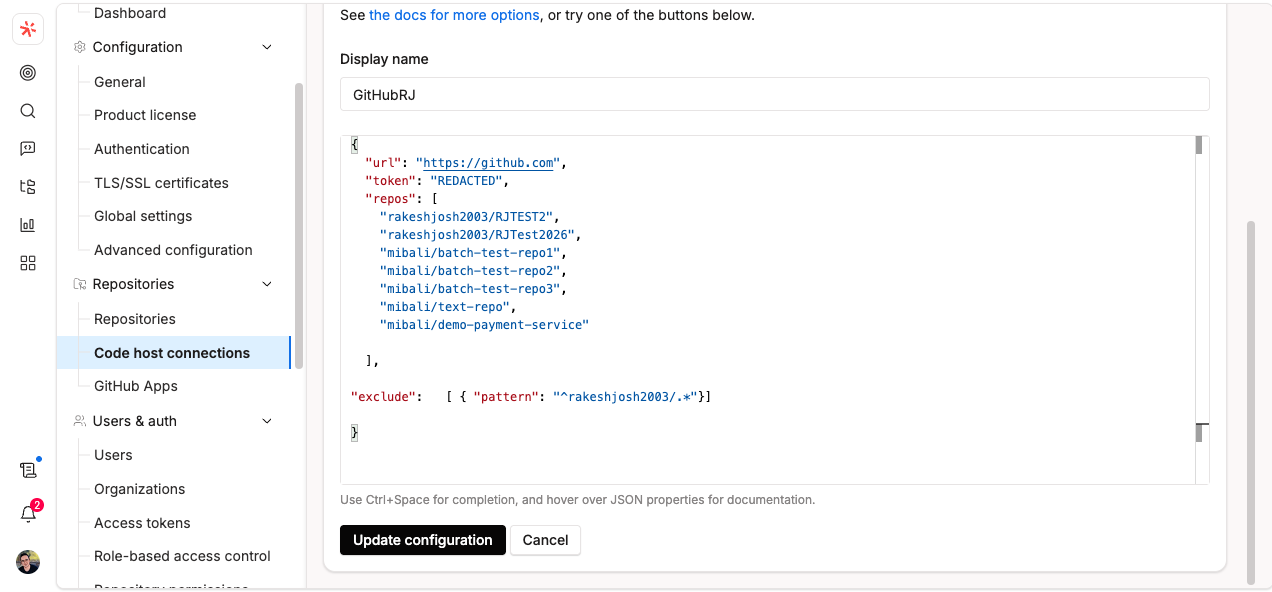
Use the "exclude" option on the CodeHost connection settings page to exclude repositories that match a given pattern, based on size or stars. Below is an example
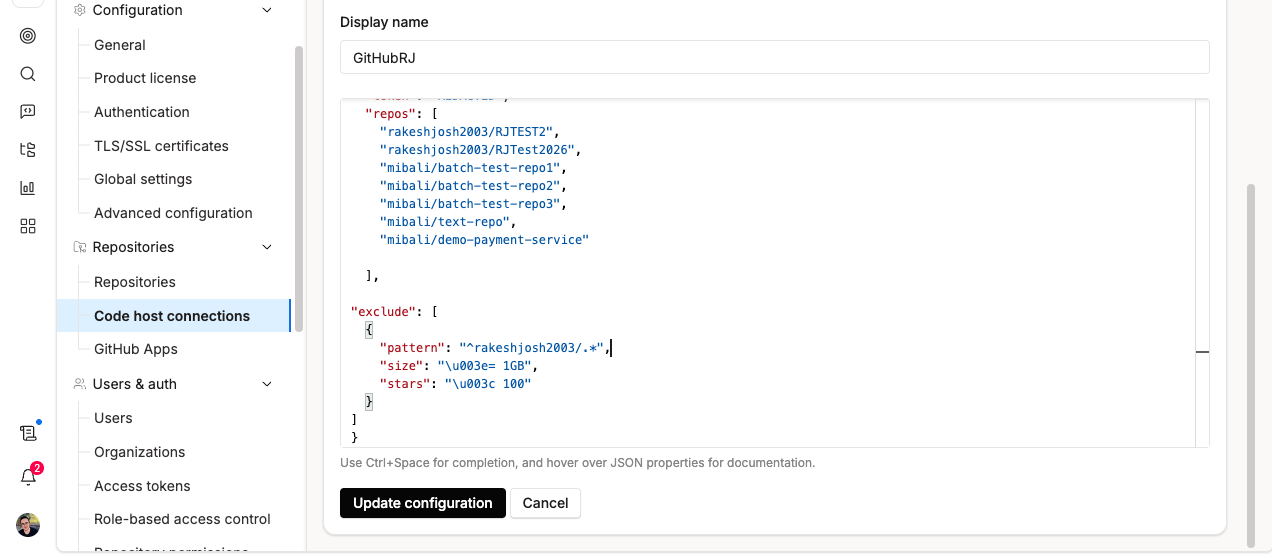
If multiple conditions are specified within a single entry, ALL of those conditions must be met for a repository to be excluded (AND). For example :
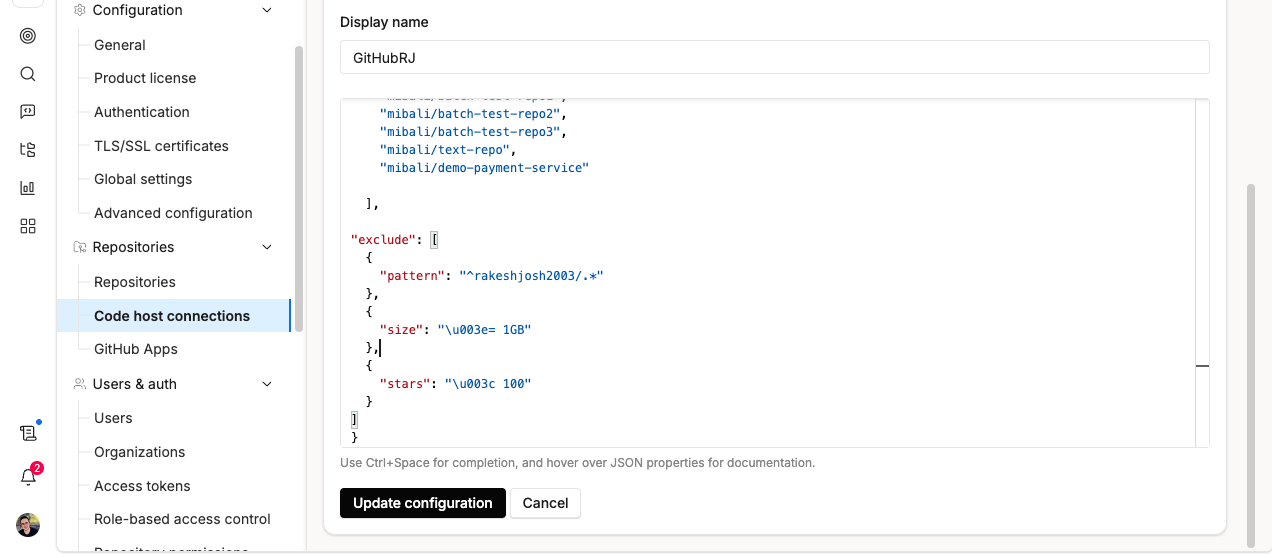
If multiple entries exist in the exclude list, a repository matching ANY of the entries (OR) will be excluded from syncing. For example :
After excluding, wait for the repository to disappear from the Repository Status page in Site Admin.
2. Bulk delete repositories via src CLI
Use the CLI to bulk delete only if you intend to permanently remove repositories from Sourcegraph. Run the src repos delete command to delete one or more repositories in a single command:
src repos delete github.com/my/repo github.com/my/repo2