
Missing search results in UI when display limit is hit.
Problem
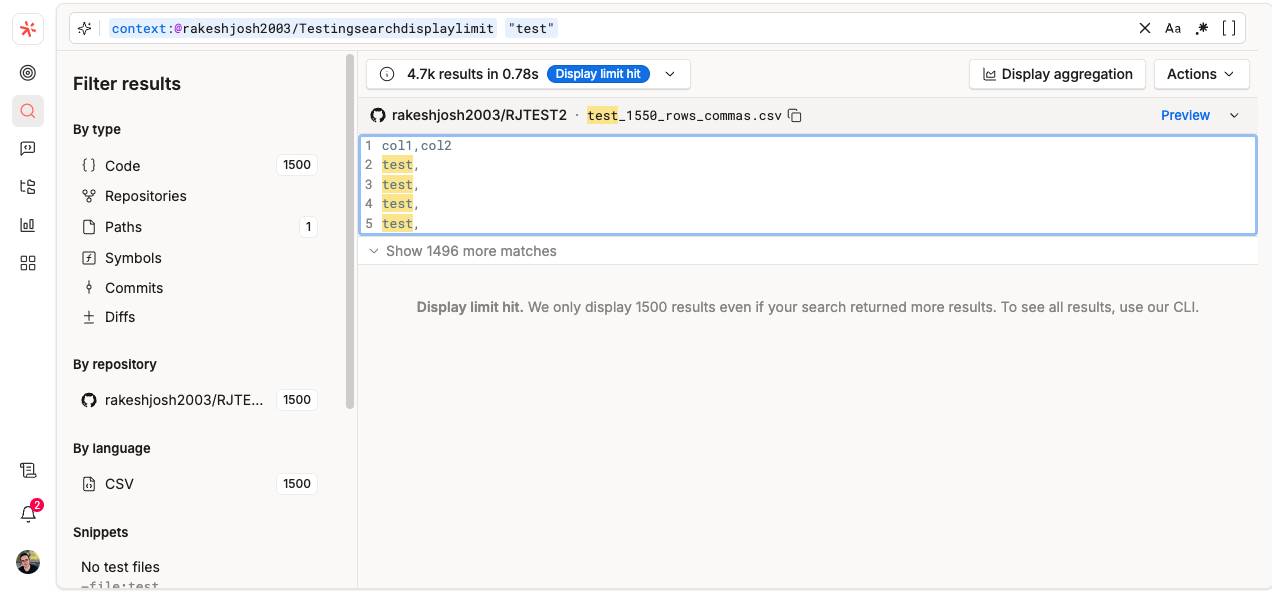
You may run a broad search and see a message indicating that Sourcegraph displays up to 1,500 results, even if the query finds more matches. In some cases, a single file can account for 1,500 or more matches. When this happens, matches from other repositories may not appear in the UI, even though they are part of the overall result set. Below is an example:
Why this happens
The search UI is optimized for interactive performance and displays up to 1,500 results. This is a display limit and does not reflect the total number of matches returned by the search.
What to do next
Use
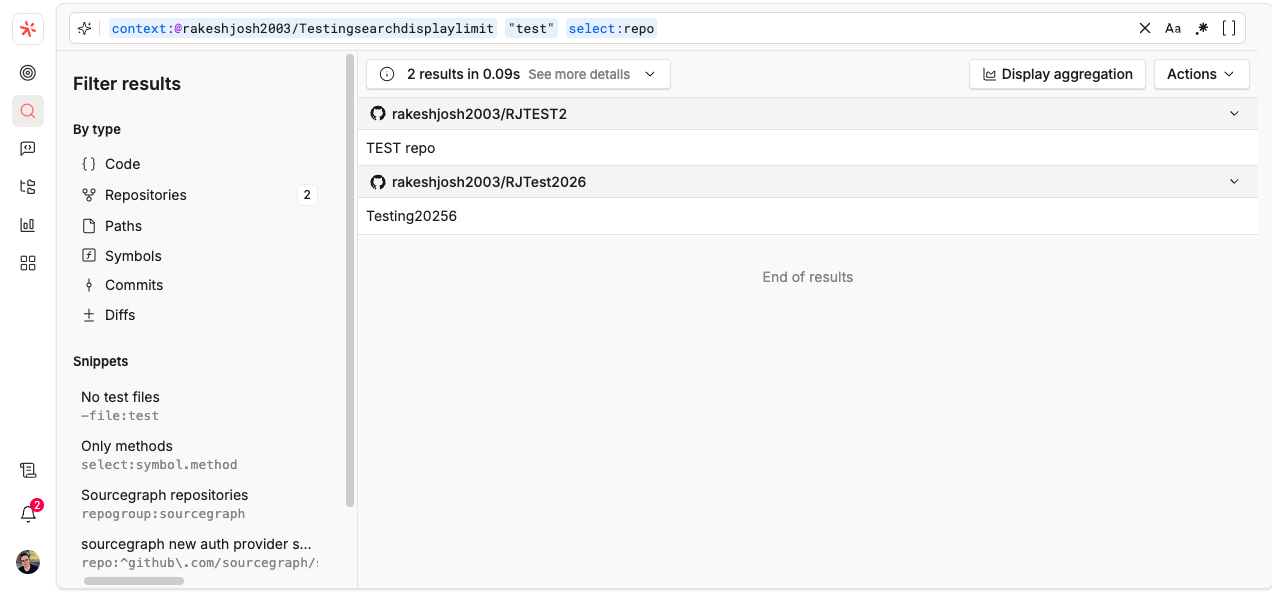
select:repoto see which repositories contain matches. Note that the total number of results displayed is still capped at 1500. If more than 1500 repositories have matching records, we recommend using the CLI to retrieve the full result set.Use
count:allif you want Sourcegraph to wait for a more exhaustive search instead of returning early.Use Search Jobs for large or long-running searches when available on your instance. Please note that search jobs currently do not support filters such as "
select:".Use the Sourcegraph CLI or API if you need to retrieve the complete result set programmatically. Set up CLI using the Sourcegraph CLI quickstart doc. Once setup is complete, run "
src login" to confirm you can successfully connect to your instance via the CLI.You can then use the command below to fetch all search results for a query, the output will be saved to a results.txt file in the directory where the command is executed (replace the placeholder with your actual search query)
src search --stream --json '<search query>' > result.txt
Examples
your search terms select:repoyour search terms count:all
Related resources
Summary
If a single file produces a large number of matches, it can exceed the UI's visible result limit. To refine results, narrow the search or use select:repo to identify matching repositories within the 1500-result limit. For larger result sets (more than 1500 results), use the CLI to retrieve the complete results, or use Search Jobs (if the query is supported).